
Features
Everything DoseMed does
DoseMed reminds you to take each medication, records every dose, counts down your pill supply and warns you before you run out. It includes a database of 9,900+ FDA drug labels and an AI assistant that answers questions about the medications on your list. Every feature is on the free plan.
Last updated:
Medication reminders
Daily, weekly or custom schedules with several times a day. Mark a dose Taken, Snooze it for 10 minutes or Skip it right from the notification. Critical alerts can sound even in Do Not Disturb.
- Schedules for every day, specific weekdays or a custom pattern, with as many times a day as you need.
- Actionable notifications: Taken, Snooze 10 minutes or Skip, straight from the lock screen.
- Critical alerts (optional) can sound even when Do Not Disturb or Focus is on.
- Start and end dates for courses such as antibiotics.
Refill and stock alerts
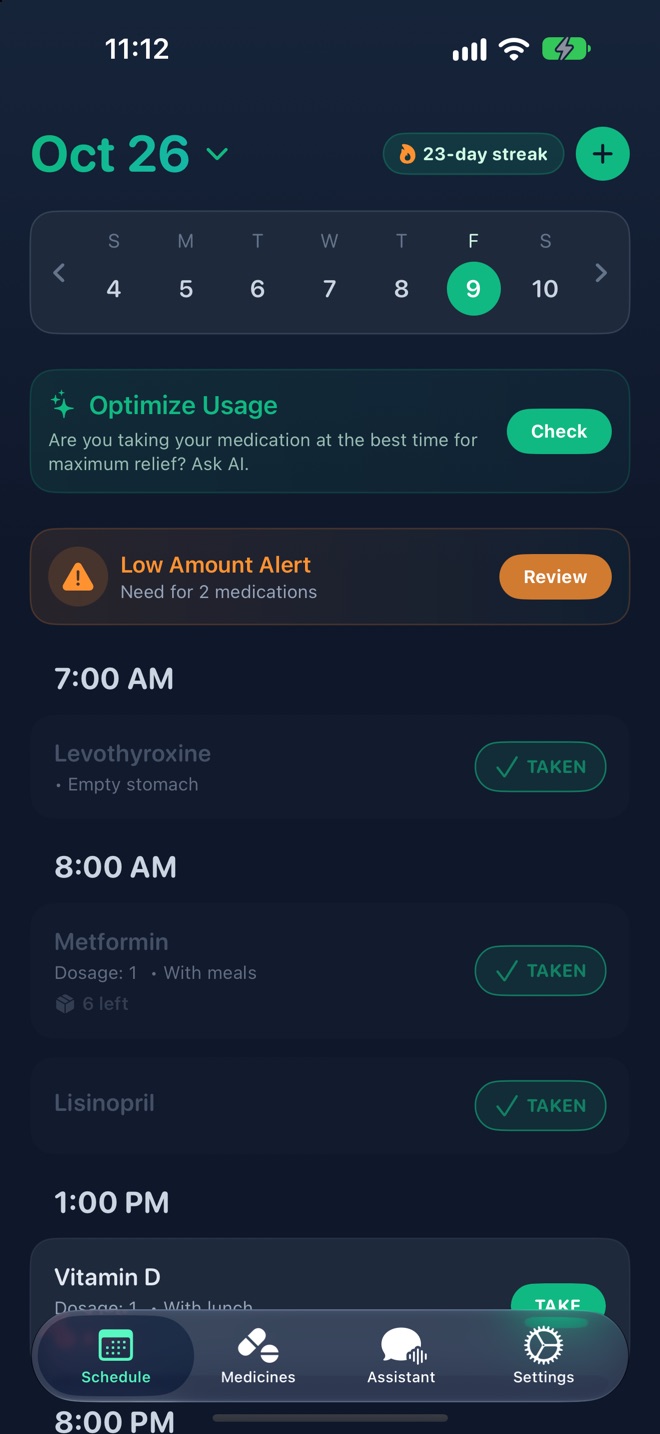
Enter how many pills are in the box. Every dose you log is subtracted, and DoseMed warns you while there is still time to refill.
- Enter the number of pills in the box when you add a medication.
- Each dose you mark as taken is subtracted automatically.
- A low-stock alert appears on your schedule while there is still time to refill.
FDA drug database
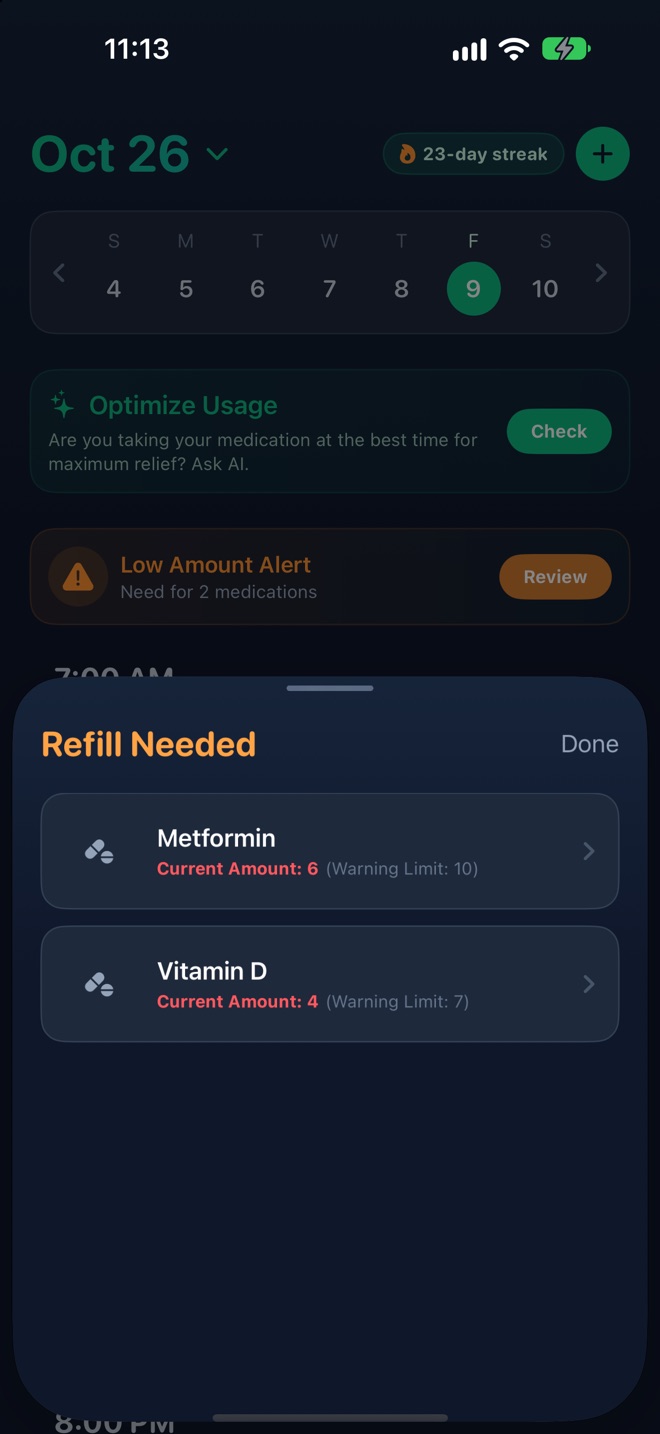
Search 9,900+ medications by name, active ingredient or category. Uses, dosage, warnings, side effects and interactions come straight from FDA labelling on DailyMed.
- 9,900+ prescription and over-the-counter products, including 370+ veterinary products.
- Search by brand name, generic name, active ingredient or category.
- Sections from the official label: indications and usage, dosage and administration, warnings, adverse reactions, drug interactions, pregnancy and more.
- Source: DailyMed, the U.S. National Library of Medicine’s archive of FDA-approved labelling.
AI assistant
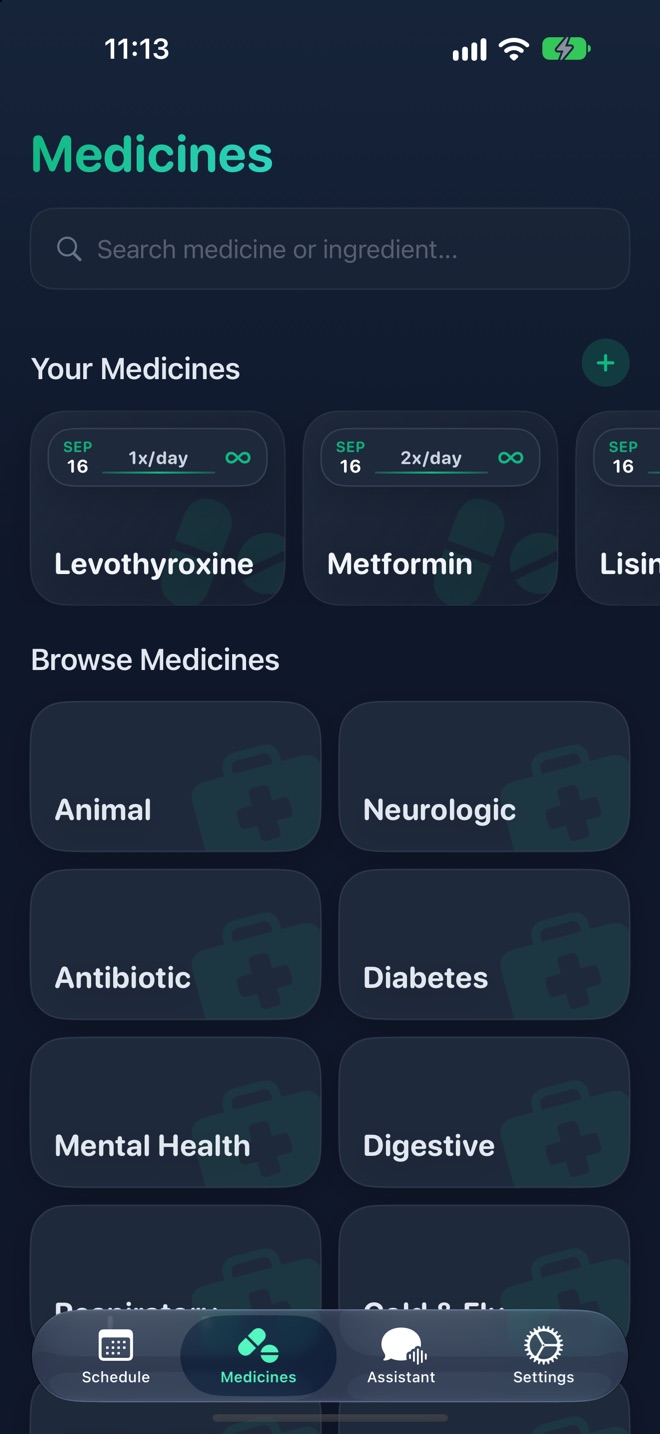
Ask about possible interactions, side effects or a missed dose. The assistant knows the medications on your list and the chat is discarded when you close it. It is a research aid, not a clinician.
- Knows the medications on your list, so you can ask “can I take these together?” without retyping names.
- Good for questions about interactions, side effects, missed doses and what to ask your pharmacist.
- The chat is discarded when you close it.
- A research and organisation aid, not a clinician. It never tells you to start, stop or change a dose.
Home Screen widgets
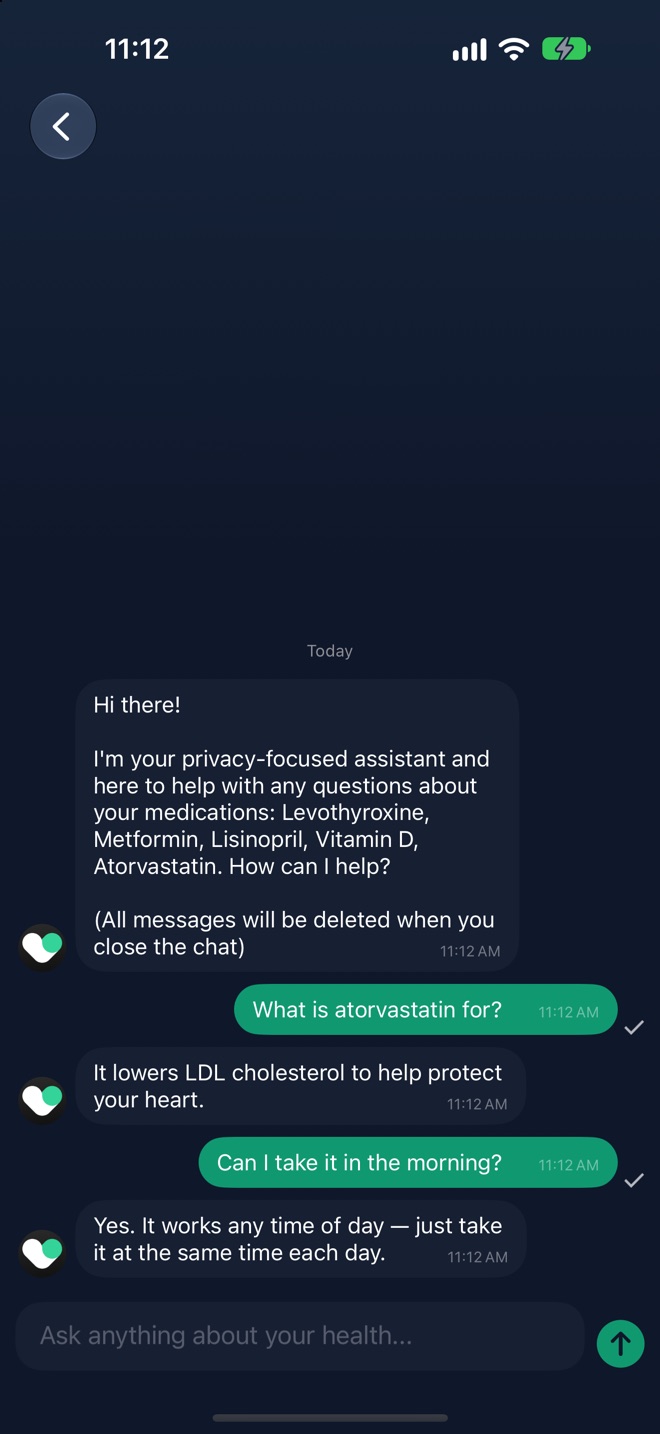
Next dose, today’s doses and today’s progress on your Home Screen. Mark a dose as taken straight from the widget.
- Next dose: what to take next and when.
- Today’s doses: the full day at a glance.
- Today’s progress: how many doses are done.
- Mark a dose as taken from the widget, without opening the app.
Dose history and export
Every taken dose is logged with its time. Export your history as a CSV file to share with a doctor or pharmacist.
- Every dose you take is logged with the time.
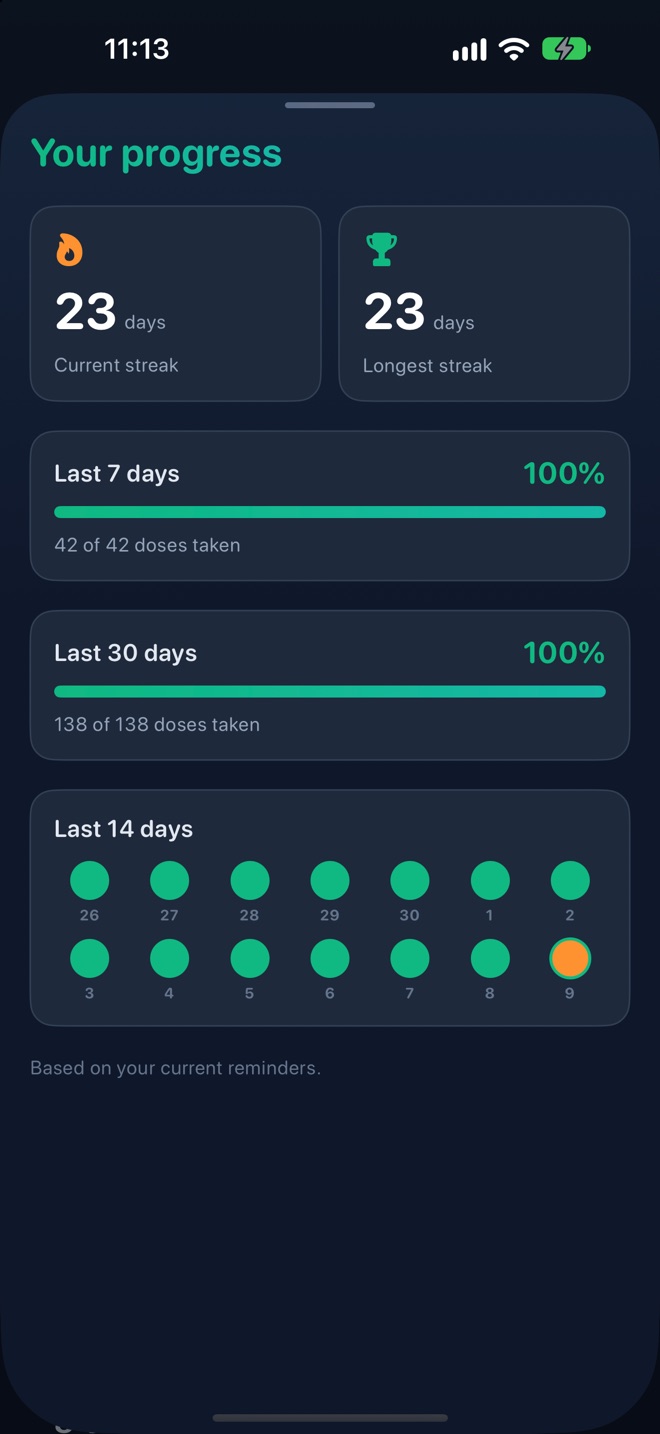
- A progress view with your streak and recent adherence.
- Export your history as a CSV file for your doctor, pharmacist or your own records.
Pet medications
The database includes 370+ veterinary products. Set reminders for your dog’s or cat’s medication alongside your own.
- Veterinary products are in the database and marked with a paw.
- Set reminders for heartworm prevention, insulin, seizure medication or flea treatment like any other dose.
Private by design
No sign-up, email or phone number. Your list and history stay on your iPhone, the app works offline, and you can lock it with Face ID. iCloud sync is optional.
- No account, email address or phone number.
- Medication list, schedule and history stored on your iPhone.
- Optional iCloud sync through your own Apple account.
- Face ID or Touch ID app lock.
Your next dose, on time
Set up your first reminder in under a minute. No sign-up, no email.
Scan to get DoseMed on your iPhone